If someone asks ChatGPT a question, gets your site cited in the answer, and clicks through, does that show up anywhere in your reporting? For most GA4 properties, the honest answer used to be “not clearly.” This guide walks through how to track AI referral traffic in GA4 today, what Google’s new AI Assistant channel actually catches, where it still falls short, and how to close the gap with a manual setup. Indexed Zone SEO will help you see ChatGPT, Perplexity, and Gemini traffic as its own line item instead of guessing at it.
Why AI Referral Traffic Gets Lost in GA4
GA4’s default channel groups (Organic Search, Paid Search, Direct, Referral, and so on) were built for a web made up of search engines, social platforms, and ad networks. AI chat interfaces didn’t exist as a meaningful traffic source when that logic was written, so ChatGPT referral traffic historically had nowhere obvious to land. Depending on the platform and the device, it would get filed under Referral with a source like chatgpt.com, or, if the app stripped the referrer header (the piece of data that tells GA4 which site sent the visitor), it would show up as Direct with no source information at all.
Worth separating out before going further: this article is about referral traffic, meaning real people clicking a citation link inside an AI assistant’s answer and landing on your site. It’s not about the bots that crawl your pages to train models or generate answers, such as GPTBot or PerplexityBot. Those crawlers never appear in GA4, because GA4 is JavaScript-based and only fires when an actual browser loads the page. If you want to track that kind of AI bot activity, you’re looking at server log analysis, not Google Analytics.
GA4’s Native AI Assistant Channel
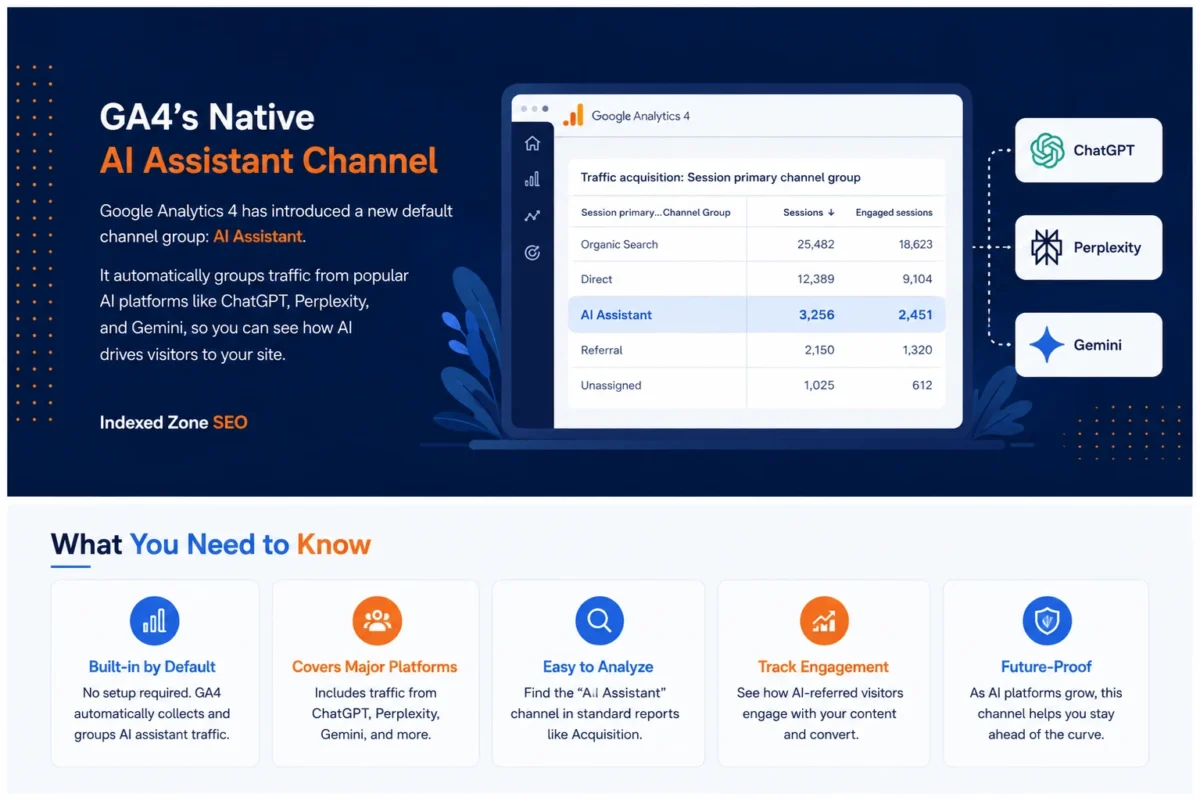
On May 13, 2026, Google added a dedicated AI Assistant channel to GA4’s Default Channel Group. When an incoming session’s referrer matches a recognized AI assistant domain, GA4 now automatically assigns the medium ai-assistant, tags the campaign as (ai-assistant), and buckets the session under the new AI Assistant channel. No configuration is needed on your end.
To check whether it’s populating for your property:
- Go to Reports → Acquisition → Traffic acquisition.
- Set the primary dimension to Session default channel group.
- Look for AI Assistant as its own row.
Google’s own description of the feature names ChatGPT, Gemini, and Claude as recognized sources, but the company hasn’t published a complete, definitive list of every domain the channel catches. That matters in practice, because Perplexity referral traffic is not consistently confirmed to be part of this native channel as of this writing. A fair number of Perplexity sessions are still landing in generic Referral rather than AI Assistant. (NOTE: the recognized source list has been expanding and may have changed by the time you read this.)
Two Limitations to Know About
- Not retroactive. GA4 only classifies sessions this way going forward from the rollout date. AI traffic from before the channel went live stays in whatever channel it originally landed in.
- Gradual rollout. Some properties saw the channel appear in mid-May 2026, others not until early June. If your acquisition report shows nothing under AI Assistant, it’s worth checking again before assuming it’s broken.
What the Native Channel Still Misses
Even once the AI Assistant channel is live and populating, it won’t give you the full picture of your AI traffic analytics on its own. In our experience running GA4 audits, three gaps come up consistently:
- Perplexity and less common platforms. As noted above, Perplexity referral traffic frequently isn’t captured, and smaller or newer AI tools almost certainly aren’t on Google’s recognized list yet.
- Stripped referrers. Mobile AI apps and in-app browsers often don’t pass a referrer header at all. Those sessions land in Direct regardless of where the click originated, and there’s no way to reclassify them after the fact without deploying additional link tagging.
- Google’s own AI Overviews and AI Mode. This trips up a lot of people: clicks from Google’s AI-generated search results are not part of the AI Assistant channel. They’re still counted as Organic Search, since the entry point was Google Search rather than a standalone chat interface.
None of this means the native channel isn’t useful. It’s a meaningful upgrade over having no AI-specific reporting at all. It just means it shouldn’t be your only method if you want a complete view of AI search traffic.
Setting Up a Custom Channel Group to Fill the Gaps
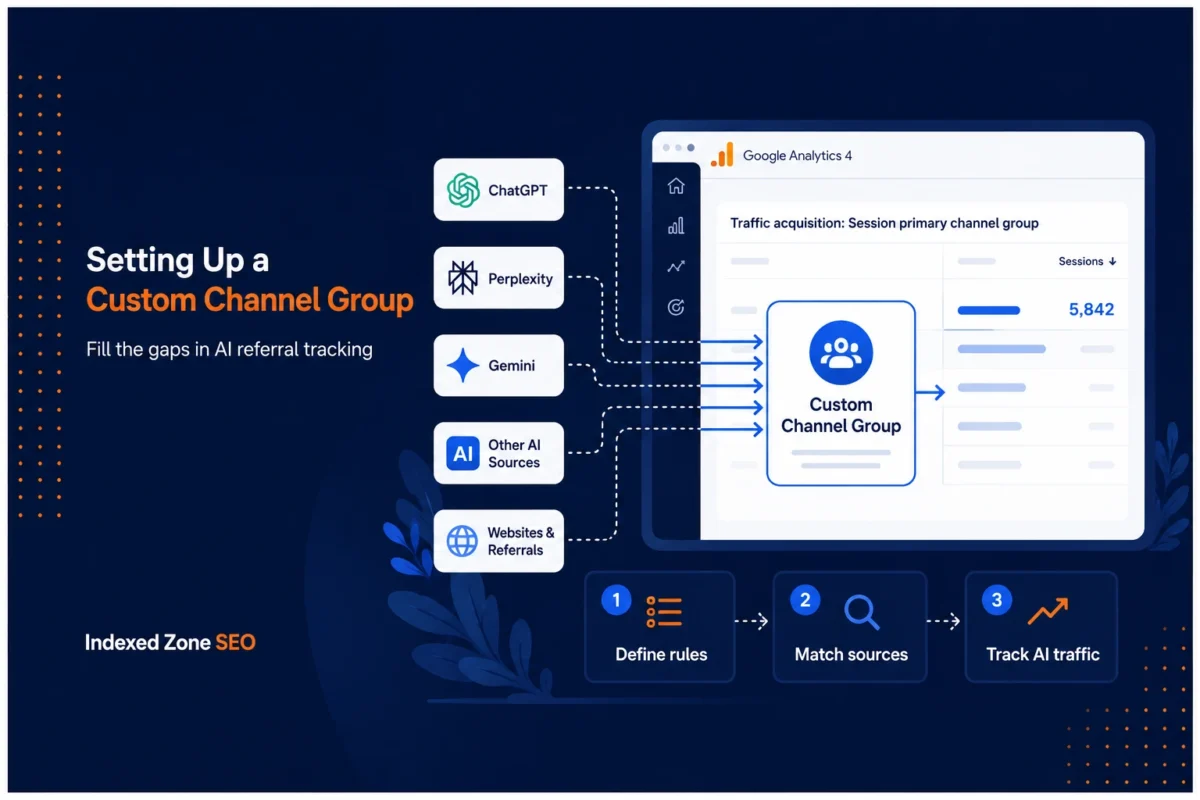
For LLM referral tracking that covers more than Google’s default list, build a custom channel group with a source regex (a text pattern that matches several different values at once, so one rule catches every AI platform you list). GA4 gives every property two custom channel group slots, and it’s worth spending one on this if AI traffic is a channel you plan to monitor monthly rather than check once.
Steps
- In GA4, go to Admin → Data display → Channel groups, and create a new custom channel group.
- Add a new channel and name it something clear, like “AI Referral.”
- Set the condition to Session source contains (or matches regex) a pattern covering the AI tools you care about, for example a pattern matching chatGPT, Perplexity, Gemini, Claude, and Copilot.
- Save the channel group and apply it to your standard reports.
Getting the Regex Right
- Use the specific subdomains AI citation clicks actually come from, not the vendors’ general corporate domains. A pattern that includes openai.com or google.com outright will pull in unrelated traffic like documentation visits or ordinary organic search, since those domains serve far more than just chat referrals.
- Revisit the pattern periodically. AI vendors aren’t consistent about which domain or subdomain they route citation clicks through, and that can change without notice. A regex that worked cleanly in one quarter can start undercounting in the next if a platform shifts its link structure.
Once it’s live, this custom channel group applies going forward to every standard report, the same way any default channel does, so you don’t need to rebuild the filter each time you want to check it.
A Faster Manual Check (No Setup Required)
If you just want a quick read on your AI traffic without building a channel group, you can check it manually in about two minutes:
- Go to Reports → Acquisition → Traffic acquisition.
- Set the primary dimension to Session source.
- Search or filter for domains like chatgpt.com, perplexity.ai, gemini.google.com, and claude.ai.
This works immediately and doesn’t require editor-level access to your GA4 property, which makes it a reasonable option for a one-off check. It’s just not something you’d want to repeat every week. For ongoing measurement, the custom channel group or the native AI Assistant channel does that work for you automatically.
Turning AI Referral Data Into Something Useful
Once AI traffic is actually visible, the real value is in what you do with it. A few places to start:
- Compare landing pages. Pull a report filtered to your AI Assistant or custom AI channel and see which pages are receiving these sessions. That tells you what content AI tools are actually citing, which is often a different set of pages than what ranks best in traditional organic search.
- Check engagement and conversion behavior separately from organic search. AI-referred visitors frequently behave differently, sometimes arriving with a narrower, more specific intent already formed from the AI’s answer. Treating this traffic as identical to standard organic search can hide real differences in what content is converting.
- Watch the trend line, not a single week. Given the rollout gaps described above, a single week of AI Assistant data isn’t a reliable baseline. Give it a full reporting cycle before drawing conclusions.
A pattern worth watching for: if a comparison-style blog post starts showing up as a top landing page under the AI Assistant channel while it barely cracks page one of Google, that’s a signal AI tools are citing content your organic rankings undervalue, and a strong candidate to build on.
We typically see clients underestimate this channel simply because it’s been invisible in their reporting for so long, not because the traffic wasn’t there. If you want help setting up AI referral tracking properly and connecting it to a broader content strategy, that’s exactly the kind of technical SEO work our team handles for clients day to day.
FAQ
Does GA4 automatically track ChatGPT traffic now? Yes, as of the AI Assistant channel that rolled out starting May 13, 2026, GA4 automatically classifies recognized AI referrals, including ChatGPT, under a dedicated channel with no setup required. It only applies going forward, though, so historical ChatGPT traffic before the rollout stays in its original channel.
Why is Perplexity referral traffic still showing up as Referral instead of AI Assistant? Google’s native AI Assistant channel confirms ChatGPT, Gemini, and Claude as recognized sources, but hasn’t published a complete list, and Perplexity is not consistently captured by it. Building a custom channel group with a regex that explicitly includes perplexity.ai is currently the more reliable way to isolate that traffic.
Can I see historical AI traffic in GA4? Only if it was already tagged in some way before the native channel launched. GA4’s AI Assistant channel classifies sessions moving forward, not retroactively, so any AI-referred clicks from before the rollout remain filed under whatever channel, usually Referral or Direct, they originally landed in.
Does GA4’s AI Assistant channel include Google’s AI Overviews or AI Mode? No. Clicks originating from Google’s AI-generated search results are still counted as Organic Search, since the click starts inside Google Search rather than a standalone AI chat interface like ChatGPT or Gemini’s own site.
Why do some AI-referred sessions show up as Direct traffic? Many AI apps and in-app browsers strip the referrer header before the click reaches your site, which means GA4 has no source information to classify it by. Those sessions default to Direct regardless of where the visitor actually came from, and there’s no reliable way to reclassify them retroactively without additional link tagging on your end.
The Takeaway
GA4’s native AI Assistant channel is a real improvement, but it’s not a complete solution on its own. Pair it with a custom channel group covering Perplexity and any other platforms Google hasn’t formally added, and check both regularly rather than assuming the default report tells the whole story. If your team doesn’t have the bandwidth to build and maintain that setup, or you want the data connected to an actual content strategy instead of sitting in a report nobody checks, Indexed Zone SEO’s SEO audit and consulting can help you get it set up correctly the first time.