For the first time, Google will tell you whether your pages actually show up inside its AI answers. In June 2026, Search Console added a Generative AI performance report that covers AI Overviews, AI Mode, and AI features in Discover. No more guessing from manual searches or third-party tools.
There’s a catch most guides skip: the report shows impressions, not clicks. You can see how often Google places your page inside an AI answer, but not how many people clicked through to your site. Read it the wrong way and you’ll chase the wrong numbers.
Here’s what the report actually shows, how to read it without fooling yourself, and where it stops short.
What the Google AI performance report changes
The Generative AI performance report is the first Search Console data built specifically for Google’s AI-powered search. Instead of folding AI appearances into traditional organic search, it reports how your content shows up in AI Overviews and Google’s AI Mode, plus AI features in Discover.
What you get is first-party impression data for AI features, broken down by page, country, device, and date (from daily to monthly). For the first time you can see which of your URLs Google pulls into AI answers, without relying on manual checks or third-party estimates.
What you don’t get, at least at launch, is clicks and click-through rate for AI features. The report is impression-only for now. It’s a real gap, and it comes up again below.
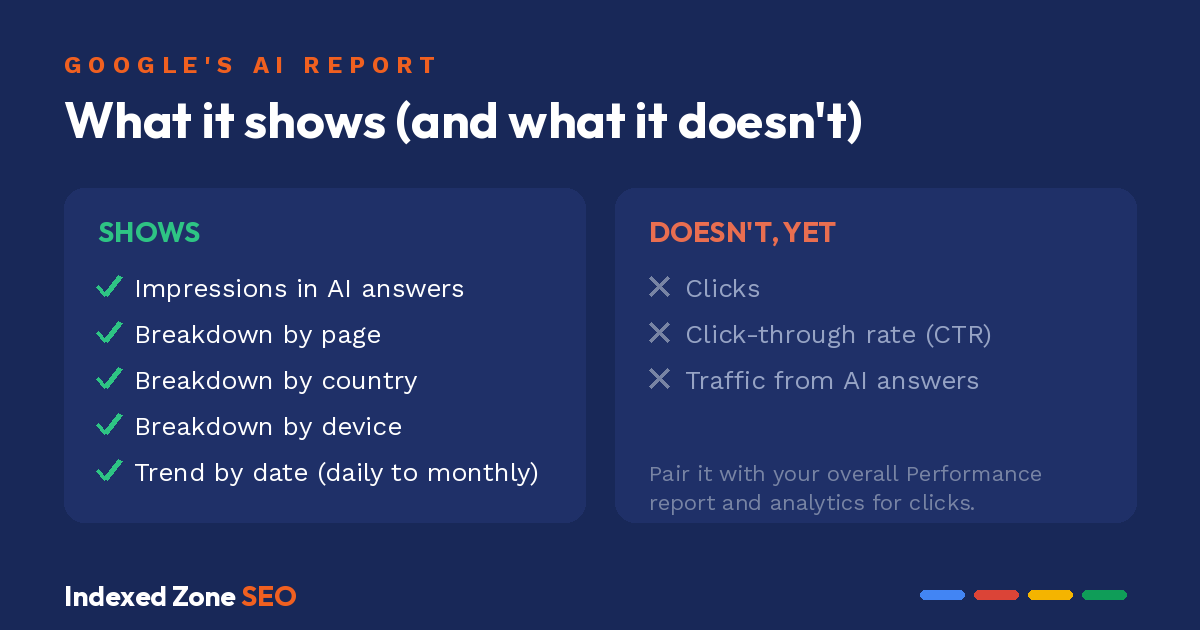
This doesn’t replace your standard Performance report. AI impressions still feed into your overall totals, so this isn’t a separate silo. It’s a new lens on the same data that lets you:
- see when your pages appear in Google’s AI-generated responses,
- compare how those appearances shift over time,
- and use first-party data, not guesses, to judge changes in AI search visibility.
The impression-counting rule most people miss
One quirk is worth knowing before you read a single number. If the same URL shows up in both an AI Overview and the regular blue links for the same search, Google counts it as one impression, not two. An AI Overview holds a single position, and every link inside it shares that position.
In plain terms, your impression count isn’t inflated just because a page shows up in more than one spot on the same results page. Good news: the numbers you’re reading are cleaner than they look.
Where to find the report (and what to do if you don’t see it)
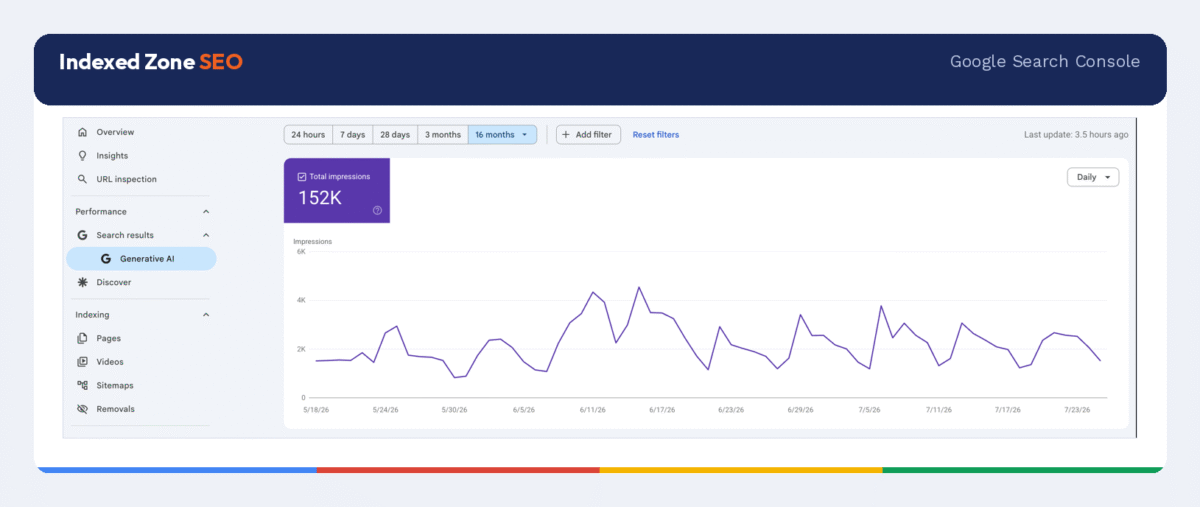
Open Search Console and go to the Performance section. The Generative AI performance report sits there as its own report, separate from the standard “Search results” view (Discover has its own version). It shows impressions for AI Overviews and AI Mode, grouped by page, country, device, and date.
Don’t see it yet? You’re not doing anything wrong. Google is rolling the report out to a subset of sites first, so it may simply not be enabled on your property. It can also stay hidden if your site hasn’t picked up enough impressions in AI features, or if your content is set to be excluded from them.
Check whether your site is included in AI features
In Search Console, open Settings and look for the Search generative AI control. It’s a domain-level toggle that includes or excludes your site from AI Overviews, AI Mode, and AI features in Discover. The default is included, so if you’ve never touched it, you’re already eligible. Changes take a day or two to apply.
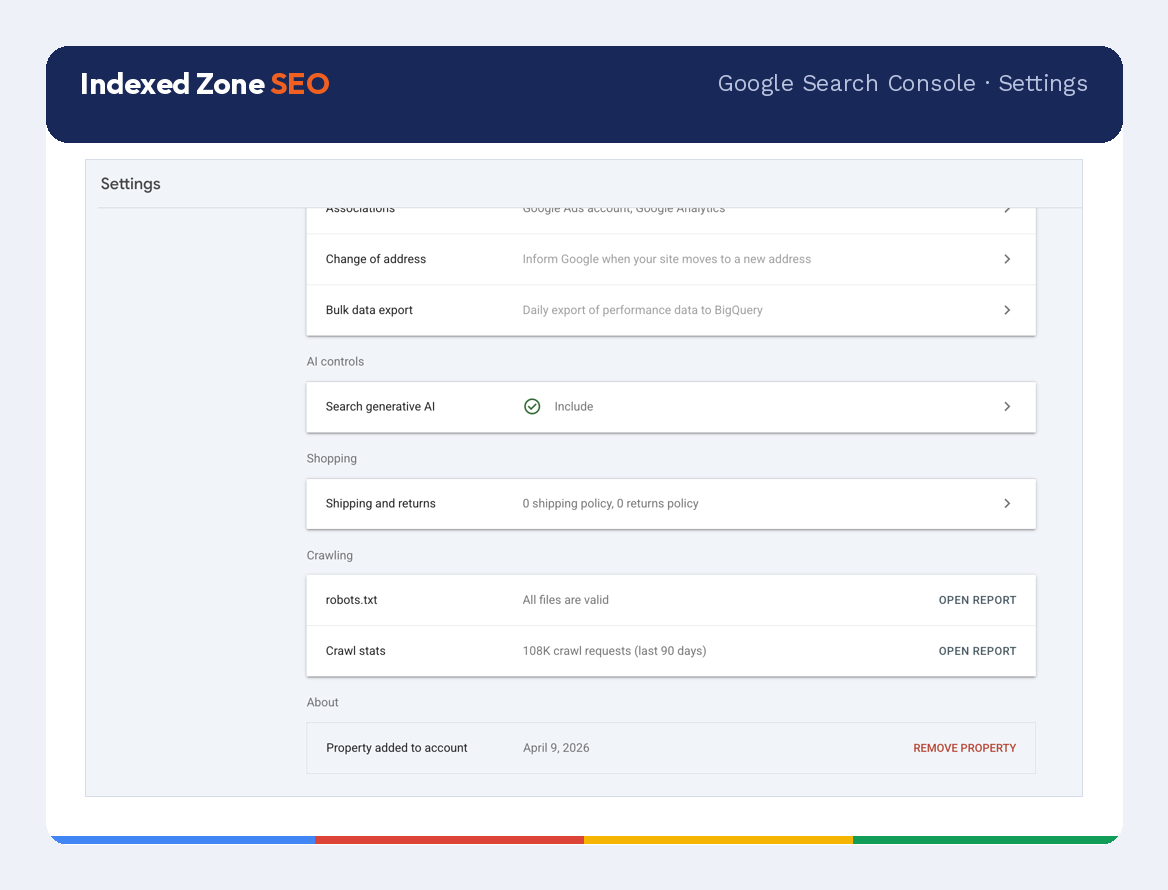
Two things worth knowing. The toggle works at the domain level for now, with page-level control planned for 2027. And it’s separate from other AI controls: it doesn’t change your normal rankings, it doesn’t stop your content from training AI models (that’s the Google-Extended token in your robots.txt), and it’s not the same as noindex, which removes a page from Search entirely.
Why traditional SEO metrics are no longer enough
Rankings, organic traffic, and click-through rates remain essential SEO metrics, but they weren’t designed to measure AI-generated search. A page can rank well, hold steady traffic, and still rarely appear in AI Overviews. The opposite happens too: content that isn’t your top organic performer can get featured regularly in AI answers.
That’s why the best SEO strategies now track AI visibility alongside traditional search performance. Beyond rankings and traffic, you need to know how often Google surfaces your content in AI results and whether that visibility actually pulls users to your site.
Think of a buying guide that ranks fifth for a competitive keyword. Under a traditional review, you’d push to improve its ranking. But if the page already appears consistently in AI Overviews, Google’s systems have already flagged it as a useful answer. It changes how you judge its performance and where you spend your optimization effort.
The same logic applies to SEO for AI. Success is no longer just where a page ranks. It also depends on whether your content becomes part of Google’s AI answers, how often it appears, and whether that visibility leads people back to you. If you’d rather not track this by hand, our SEO services cover AI search visibility end to end.
So, how do you measure AI search visibility?
The report gives you a handful of metrics. Each answers a different question:
- Impressions in AI Overviews and AI Mode – how many times your pages appeared inside an AI-generated answer
- Breakdown by page – which specific URLs are getting pulled into AI features
- Breakdown by country – where in the world your AI visibility is showing up
- Breakdown by device – whether you appear more on mobile or desktop
- Breakdown by date – how your AI impressions trend over time, from daily to monthly
Are more people seeing your content?
Start with AI Overviews impressions, which show how often Google includes your pages in AI answers.
Suppose one of your comparison pages generated 800 AI Overviews impressions in April and 1,600 in May. That doesn’t automatically mean more visitors, but it does show Google is surfacing it twice as often in AI answers.
Compare similar pages on the same topic. If one buying guide steadily gains impressions while others stay flat, you’ve found a page Google favors in AI search. Understanding what makes it different points you to opportunities to improve related content.
Track AI Mode separately from AI Overviews
If your Search Console property includes AI Mode data, read it independently from AI Overviews.
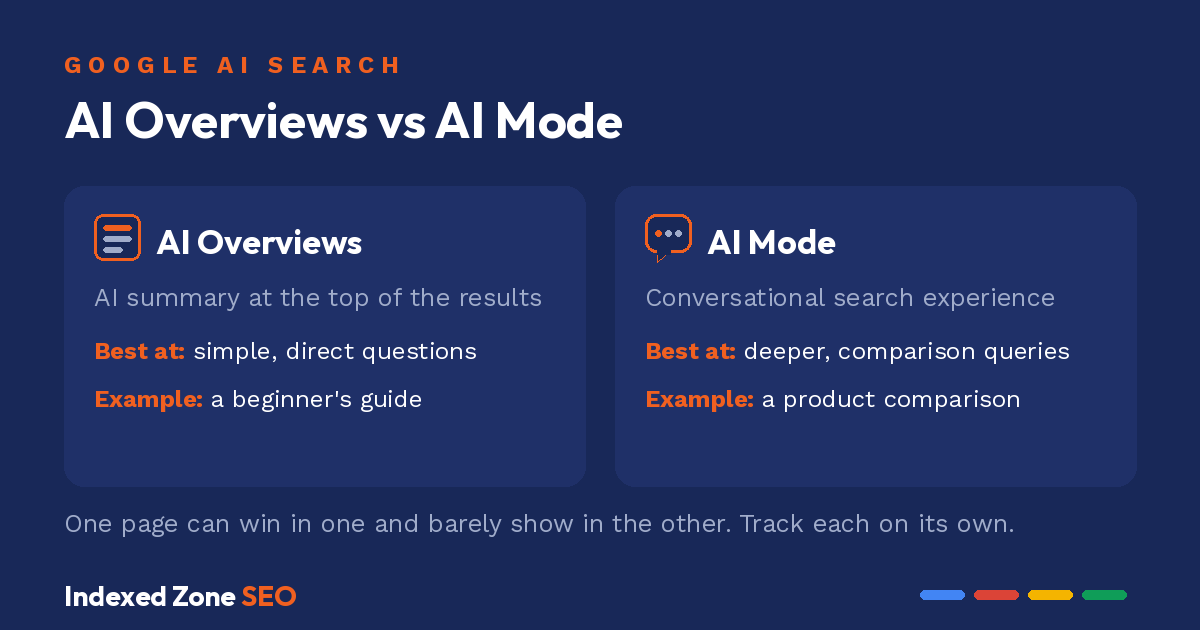
A beginner’s guide may appear often in AI Overviews because it answers a simple question. A detailed product comparison may show up more in AI Mode, where users keep the conversation going before they decide.
Reading each surface on its own shows which content performs better in each AI experience, instead of blending it all into one number.
Does AI visibility turn into traffic?
This is where the report’s limit bites. It shows impressions, not clicks, so on its own it can’t tell you how much traffic an AI appearance sends. You have to line it up against other data.
Say page A gets 5,000 AI impressions and page B gets 2,000. That only tells you A is shown far more often, not that A gets more visitors. AI Overviews often answer the question on the spot, so a page can rack up impressions and still send very few clicks.
To see the traffic side, compare these pages against total clicks in your overall Performance report and against landing-page visits in your analytics. When AI impressions climb and clicks or visits move with them, the visibility is doing real work. When impressions climb and visits stay flat, you’re being read inside the answer, not visited.
Is your AI visibility improving?
Improvement shows up over months, not days. Compare the same reporting period one month against the next, and watch the direction rather than any single point.
If three pages keep gaining AI Overviews impressions over several months while similar content stays flat, that’s a strong signal Google is surfacing those pages more often. If those same pages also climb in your overall clicks over the same window, you’ve found content that’s both more visible and pulling more visitors.
Patterns like these are far more useful than isolated spikes, because they reveal long-term changes in how Google presents your content in AI search.
Common mistakes when measuring AI search visibility
Although the report makes AI visibility easier to measure, it’s still easy to draw the wrong conclusions.
Treating impressions as traffic
More impressions don’t automatically mean more visitors. AI Overviews can answer a user’s question without a click, so a page may appear thousands of times while sending relatively little traffic. Since the report is impression-only for now, always pull clicks and conversions from your overall Performance report and analytics before deciding whether visibility is turning into visits.
Judging performance too quickly
One page might briefly appear in AI results because of a trending topic, while another builds visibility steadily over months.
Compare longer reporting periods before you act, and trust a change only once it holds.
Looking only at sitewide data
Overall growth can hide what’s happening at the page level.
If your site gains 20% more AI Overviews impressions, it’s tempting to assume the whole strategy is working. In reality, one strong article could be driving most of that lift while dozens of pages stay flat or lose ground. Review individual pages next to your overall performance to see what’s really moving the numbers.
Expecting the report to measure every AI platform
The report only covers Google’s AI features. It doesn’t track how often ChatGPT, Claude, or Perplexity reference your content.
To measure visibility across those platforms, you’ll need dedicated AI search analytics on top of Search Console, plus a way to measure and improve GEO, since Google only reports on its own AI surfaces.
Need help getting your content picked by AI search features?
Not sure what your AI numbers are actually telling you, or what to do next? That part is our job. Contact Indexed Zone SEO.
We’ll read your Search Console data, find the pages Google already favors in AI answers, and turn them into an SEO strategy that wins more visibility in both Google and AI search.
FAQ
No. At launch it reports impressions for AI features, broken down by page, country, device, and date. Clicks and click-through rate aren’t included yet, so pair it with your overall Performance report and analytics to judge traffic.
AI Overviews are Google’s AI summaries at the top of the results. AI Mode is the conversational search experience. The report also covers AI features in Discover. Read them separately, since one page can perform very differently in each.
No. Google counts it as one impression for that query. An AI Overview holds a single position, and every link inside it shares that position, so your count isn’t inflated by appearing in more than one spot.
No. It only covers Google’s AI features. For visibility inside other AI assistants you need separate AI search and GEO analytics.
Google is rolling it out to a subset of sites, so it may not be enabled on your property yet. It can also stay hidden if your site hasn’t earned enough impressions in AI features, or if it’s excluded. Check Settings, then the Search generative AI control, to confirm you’re included.
Yes. In Search Console, open Settings and use the Search generative AI control to exclude your whole domain from AI Overviews, AI Mode, and Discover AI features. It’s domain-level for now and takes a day or two to apply, and it won’t change your regular search rankings.